> ## Documentation Index
> Fetch the complete documentation index at: https://docs.shuriken.trade/llms.txt
> Use this file to discover all available pages before exploring further.
# Discord Bot Setup
> A step-by-step guide to connecting your Discord server using the official Shuriken Bot.
Connecting via the Official Shuriken Bot is the most secure and straightforward way to get your Discord server's data into the Alpha Platform.
**Before you start** — Your Discord account must be connected to the Terminal for your server's feed to appear. Click the **Discord icon** in the top header bar, or go to **Profile > Integrations** to link it.
### How It Works
The bot operates like any other standard Discord bot. Once invited, it will index messages from channels it has been given access to. Activation by a server owner or administrator is required before any message data is processed, ensuring full control and transparency.
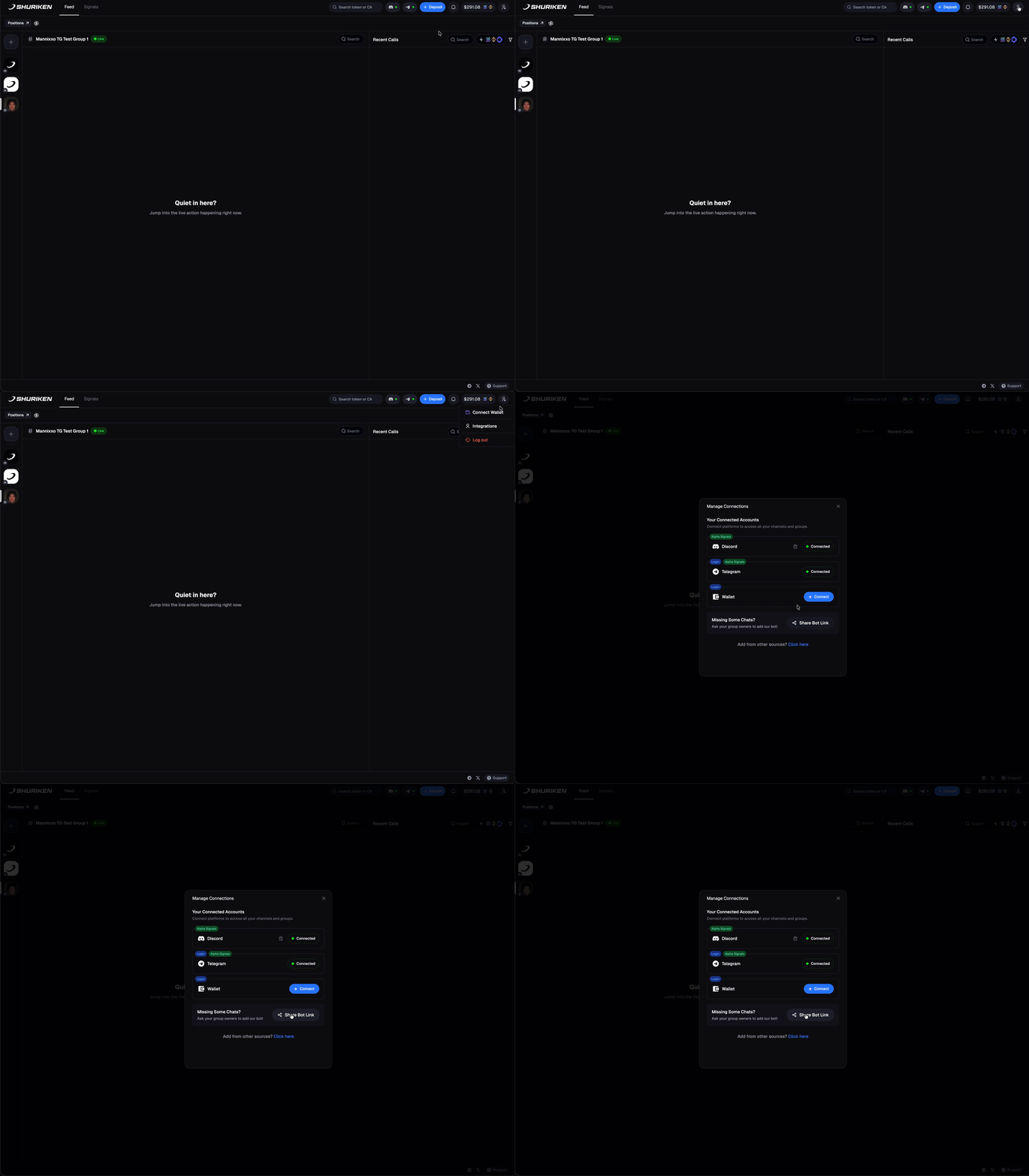 The first step is to invite the official Shuriken Bot to your Discord server. You must have `Administrator` or `Manage Server` permissions to do this.
[**Click here to invite the Shuriken Bot**](https://discord.com/oauth2/authorize?client_id=1440745309775990794\&permissions=8\&integration_type=0\&scope=bot)
The bot requires a basic set of permissions to read messages and view channels. It will never post messages, manage roles, or perform any administrative actions.
For security and privacy, message processing does not begin automatically. A user with **Owner** or **Administrator** privileges in the Discord server must explicitly activate it.
* In the Shuriken Terminal, an **"Activate"** button will appear for authorized users.
* Click this button to grant the bot permission to begin indexing messages.
Once activated, you will see a confirmation, and messages from your server will begin to appear in your unified feed in real-time.
The first step is to invite the official Shuriken Bot to your Discord server. You must have `Administrator` or `Manage Server` permissions to do this.
[**Click here to invite the Shuriken Bot**](https://discord.com/oauth2/authorize?client_id=1440745309775990794\&permissions=8\&integration_type=0\&scope=bot)
The bot requires a basic set of permissions to read messages and view channels. It will never post messages, manage roles, or perform any administrative actions.
For security and privacy, message processing does not begin automatically. A user with **Owner** or **Administrator** privileges in the Discord server must explicitly activate it.
* In the Shuriken Terminal, an **"Activate"** button will appear for authorized users.
* Click this button to grant the bot permission to begin indexing messages.
Once activated, you will see a confirmation, and messages from your server will begin to appear in your unified feed in real-time.